
Controls in Run for Soccer Legends
WASD, analog sticks, and thumbs: keep moving on jelly, carry Soccer Legends, and share a five-player server — not split-screen.
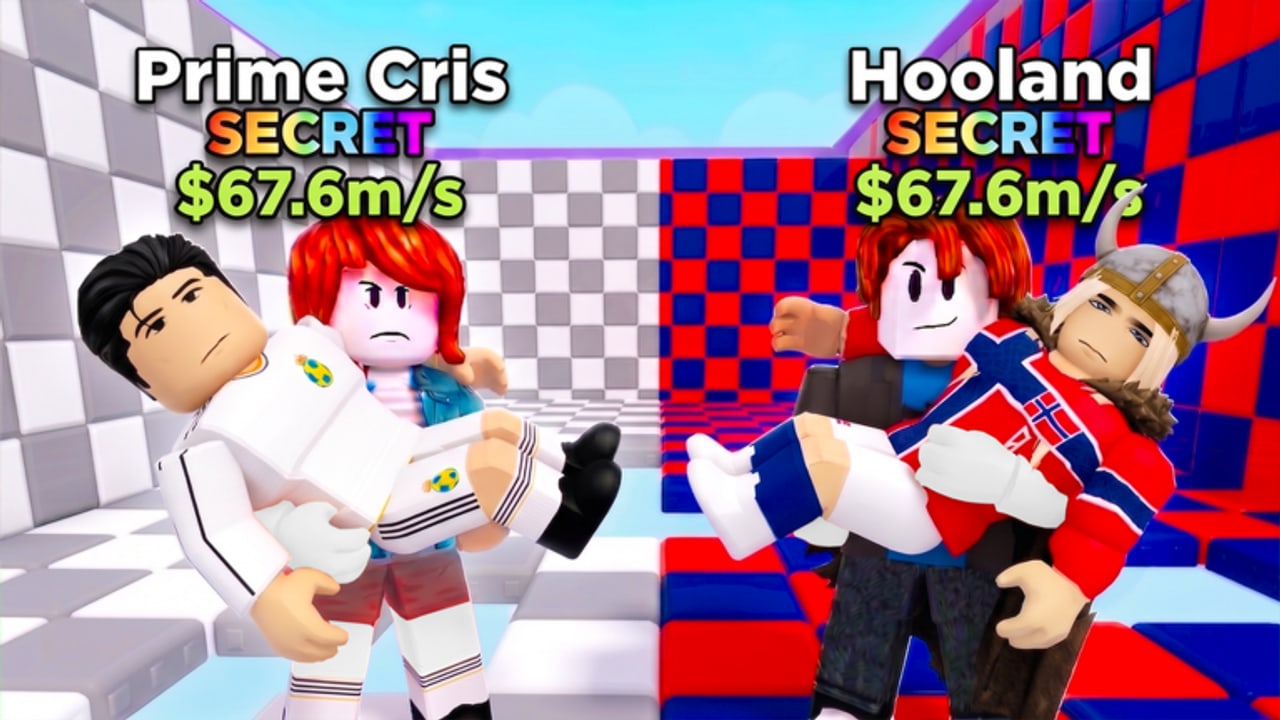
The difference between a parked Soccer Legend and a wipe is often one input, not one upgrade. +1 Run for Soccer Legends asks you to sprint a checkerboard, pick up parody footballers, keep moving on Jelly Blocks, and park the haul so the tycoon prints cash. This page is the input map for PC, mobile, and console. For the loop, use how to play. For session one, use getting started. Hazard tiles are Jelly Blocks. Shop buttons live on upgrades. Overnight math is offline cash. The long climb is noob to pro. Everything here is about never letting velocity hit zero.
PC: hold WASD, aim the camera, leave menus at the pad
Desktop movement is WASD or a plugged-in analog stick. The important verb is hold. Tapping W on a jelly tile includes a frame at zero speed, and zero speed is the fail the Roblox description warns you about. Depress the key before you step on the hazard and release it after you are back on a dry square.
Mouse look is the PC advantage. Keep the camera on the next two tiles so you can choose a dry shoulder without stopping. A Secret silhouette three lanes away is not a reason to freeze. Name it after you park, using the Secret list and the collection checklist. Official thumbs label Bellinghem, Ranaldo, Prime Cris, and Hooland at $67.6m/s; none of those rates start while you pose on jelly.
Jump is Space when a gap requires it. Jumping does not cancel jelly. Escape, the Roblox hamburger, a gamepass prompt, and alt-tab all steal WASD — buy speed at the base instead. Do not open the codes hub or how to redeem mid-lane. No public promo is confirmed as of September 2026. If a camera mode makes you stop to reorient, switch back to a chase view. The guides hub will still be there after the lap.
Mobile: the analog that loves to recenter
Phones use a virtual joystick. Center is zero. Zero on jelly is a fail. Keep moving means a continuous thumb hold, not a chain of flicks. Plan simpler lines than on PC: dry edges, a heading chosen before the strip, a wide strafe instead of micro-adjusts. You cannot camera-tourism a Lucky Block on a small screen and still recover.
Do not install a third-party overlay to fix binds. That search path is how people land on executor videos. The scripts hub and auto farm pages list claimed toggles and ban risk; they are not a control scheme and they never include a payload. Short mobile sessions match the tycoon: park, close the app, collect later. Close on the pad. Closing on jelly does not bank the carry.
Console: left stick, right stick, overlay off
Console play is analog movement with the same keep-moving rule. The extra fail is the store overlay and the Roblox radial. Both freeze the left stick. Close them before a jelly stretch. Camera lives on the right stick — pan without releasing forward. If your deadzone is huge, the game reads a stop while you think you are walking. Tighten it in device settings, not with a scripted speed slider. Plugging the same pad into PC does not create split-screen.
Carrying Soccer Legends without dropping the input
A carry is a physical unit on your avatar. First touch in a five-player server wins. Do not body-block on a hazard tile to contest a Secret. Rank faces on the tier list and the rarity ladder after you are safe. Rainbow, OG, and Lucky Blocks are community rungs; Secret is the official top band. An empty slot beats walking past a common.
If you can hold more than one, fill the extra hand on dry ground. A 180 on jelly for a sparkle is how a full carry becomes zero. Raise the camera so jelly edges stay visible. The players hub is the roster view; this page is how the roster stays on your back.
Five-player servers, not split-screen
Official servers hold five people. That is online Roblox multiplayer on a shared checkerboard — not local split-screen, not couch co-op, not a shared camera. A friend joins from their own device through the links hub or a Roblox invite. If the track is stripped, hop. A menu on jelly is your wipe; the other four keep running. Do not fill the five slots with alts.
After a layout patch, skim updates before you blame your binds. New jelly patterns punish a tap-happy W key. Tools will not remap your thumbs. The only bind that matters is the one that keeps you moving until the Soccer Legend is sitting in the base.
Frequently Asked Questions
Quick answers for runners hunting Secrets and cash.
Is +1 Run for Soccer Legends split-screen?
No. Official servers are five-player online Roblox sessions. A friend joins from their own device. Connecting a controller does not create a shared couch camera.
Why does my mobile run die when I adjust the camera?
The virtual joystick recenters when you lift your thumb. Center is zero velocity, and zero on a Jelly Block fails the carry. Pan without releasing forward, or turn on dry ground.
Can I use a controller on PC?
Yes. Analog movement follows the same keep-moving rule as WASD. Close overlays before jelly, and tighten deadzone if the game reads a stop while you think you are walking.
Should I stop on the track to pick up a Secret?
Never on jelly. First touch still wins in a five-player server, but a pause deletes the carry. Identify Bellinghem or Ranaldo on dry ground or after you park.
Do I need different keybinds when I am carrying a Soccer Legend?
No new keys. Raise the camera so jelly edges stay visible, hold movement through the strip, and fill extra hands only on dry tiles. Menus still wait at the base.